Flaming Palm arma guide
Mods
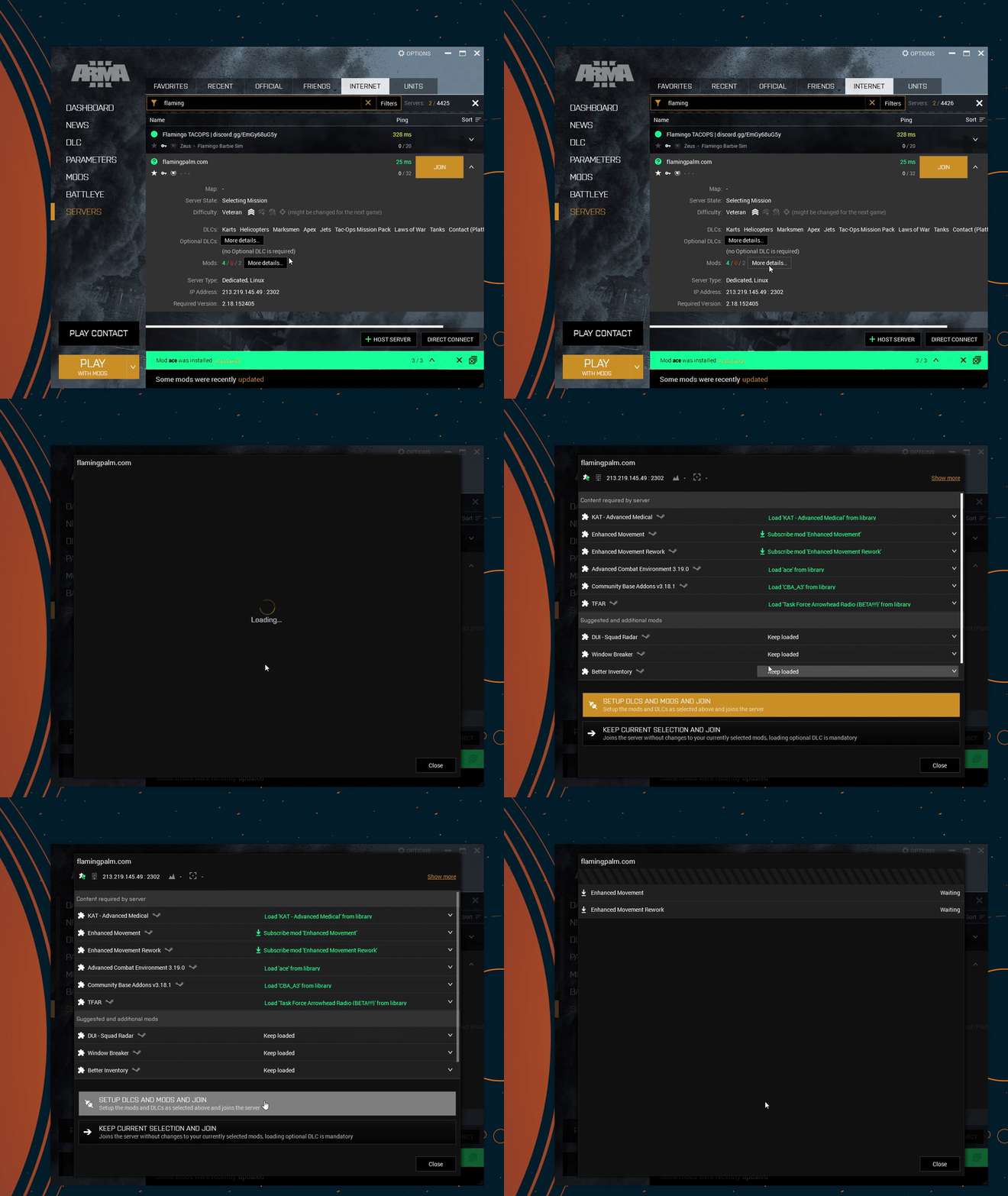
In the Arma 3 launcher you can find the server and set up the correct mods.
Look for flamingpalm under the internet tab. It can take a minute to find the server.
Teamspeak
Install teamspeak 3 (not 6!!) version 3.6.2 under the TS3 client section from the official website here:
TeamSpeak Downloads | TeamSpeak
After installing you can connect to a server from the ‘connections’ -> ‘connect’ button.
Address: ts.flamingpalm.com
Teamspeak plugin
The task force radio mod allows ingame actions (like position or using a radio) to affect who you can hear in teamspeak.
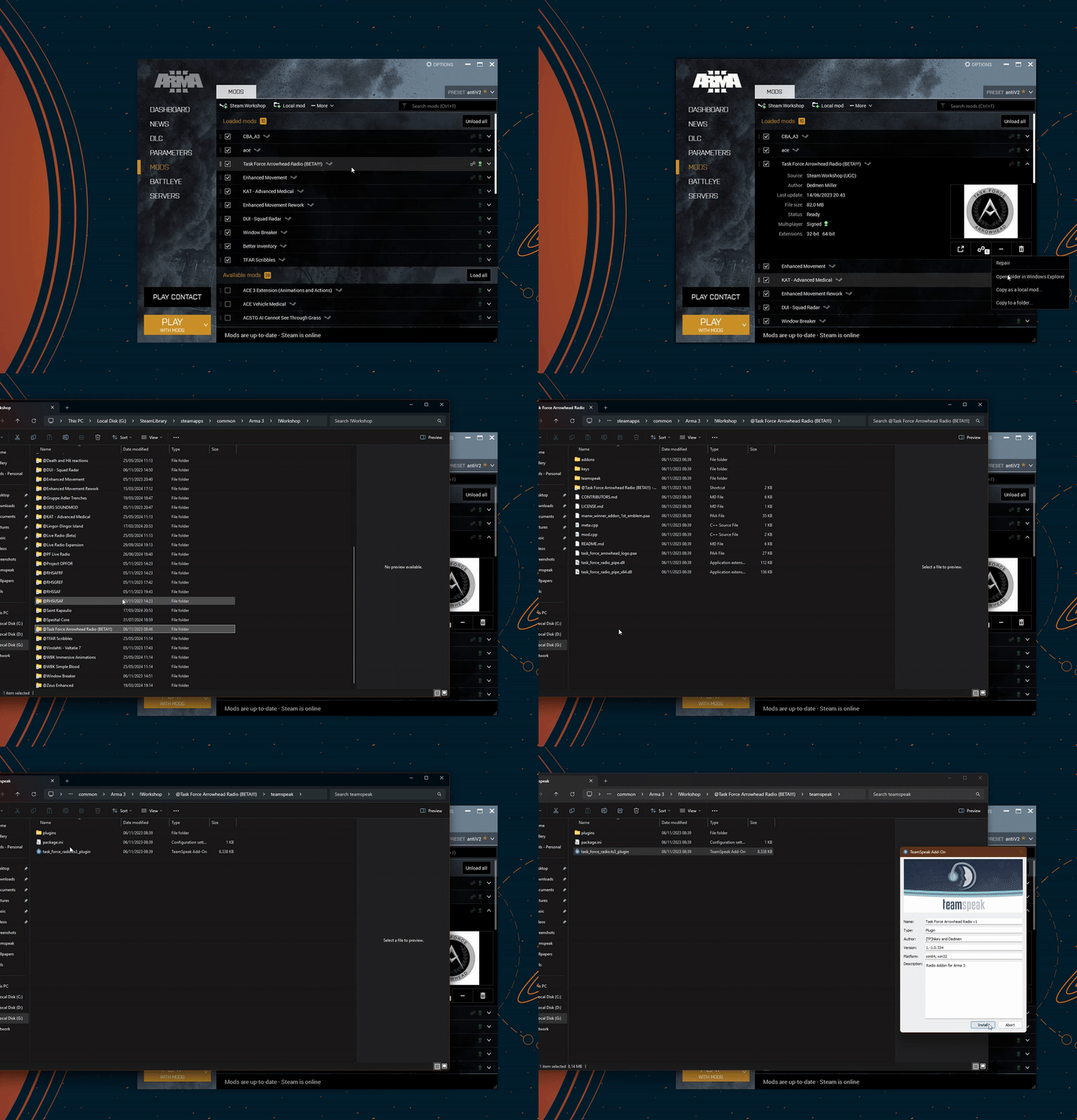
To do this it required you to install its teamspeak plugin. The easiest way to do this is using the following steps also shown in the gif below:
- Go to the mod inside the arma 3 launcher
- Press the 3 dots and “open folder in windows explorer”
- Go into the “task force arrowhead radio (BETA!!!)” folder
- Inside the teamspeak folder dubble click the ts3_plugin file
- press install and restart teamspeak